My Role
UX Designer & UI Designer
Platform
Mobile & Desktop
Date
January 2025-Present
Tools
Figma, Figjam, Lottie, Tableu & Countly

Goals
Business Goals
Increase user engagement and retention
Boost conversion and average basket size
Provide a single, cohesive shopping experience combining speed, personalization, and trust
User Goals
Discover relevant products without spending too much time
Compare alternatives more easily
Feel guided and confident when making a purchase decision
User Interviews
2 Interviews
40 Participants in Total
Competitors Analysis
4 Shopping Related
7 AI Tools (Web and App)
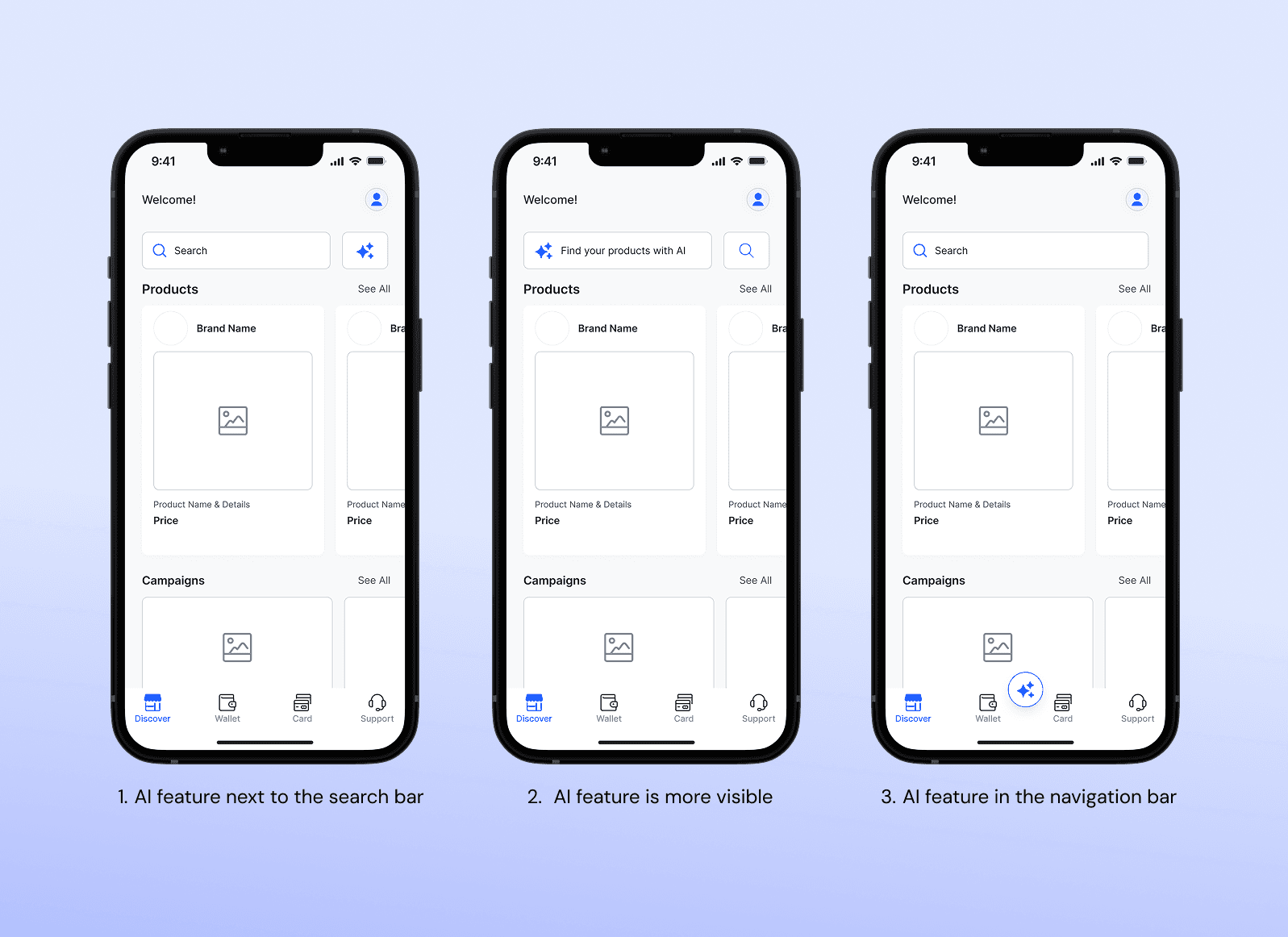
Visual Test for Navigation
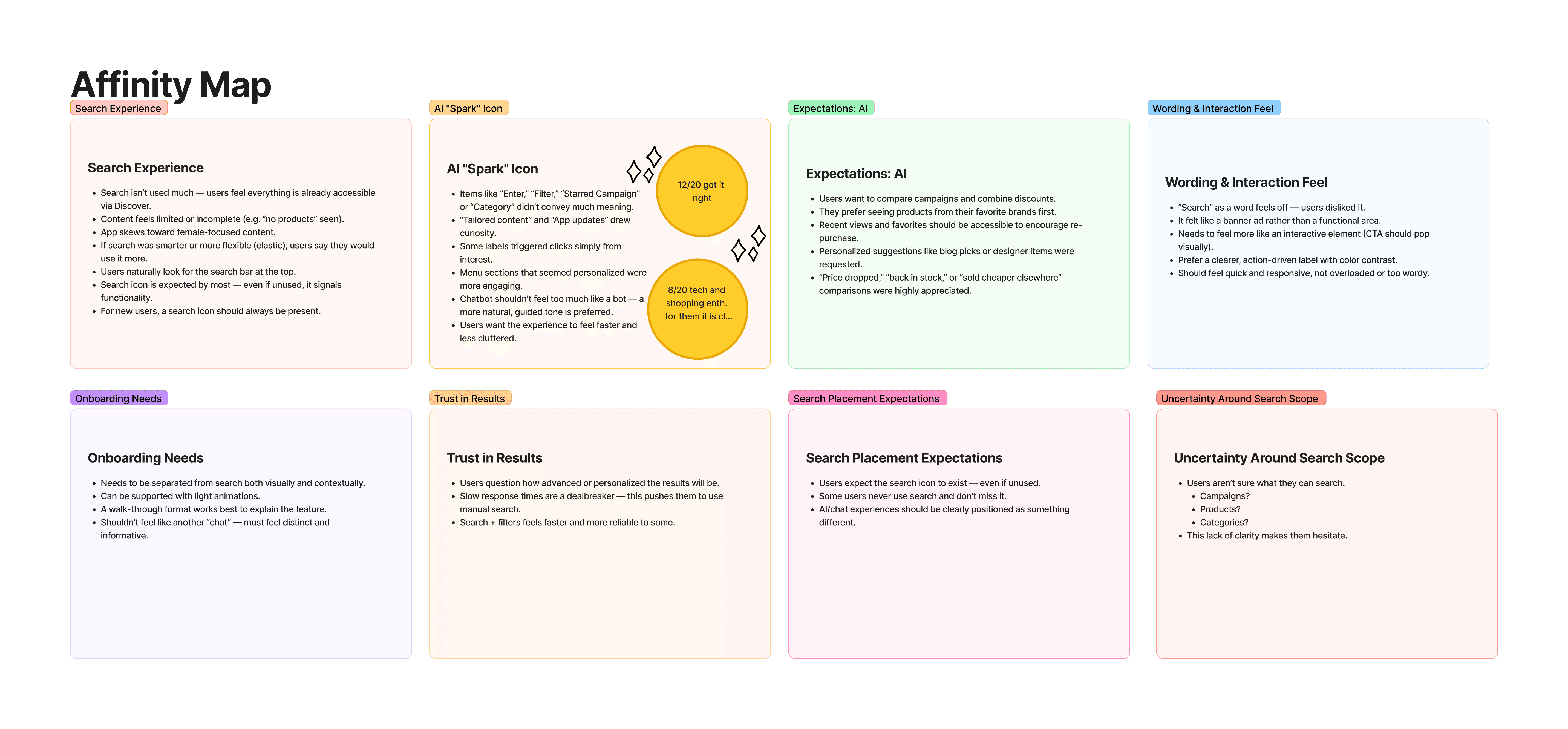
Affinity Map: Visual Test
User Feedbacks from Usability Test of the First Prototype
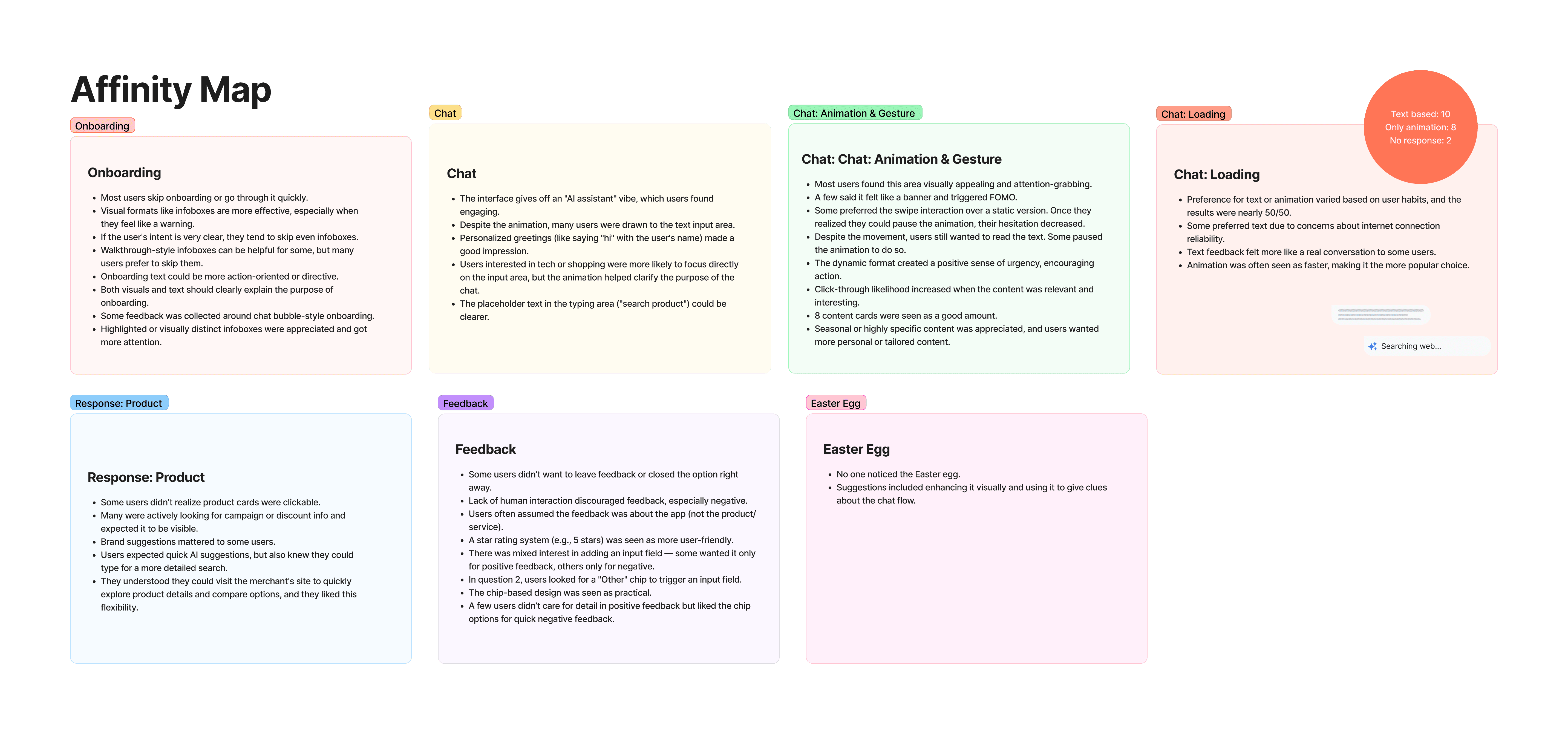
Affinity Map: Usability Test of the First Prototype
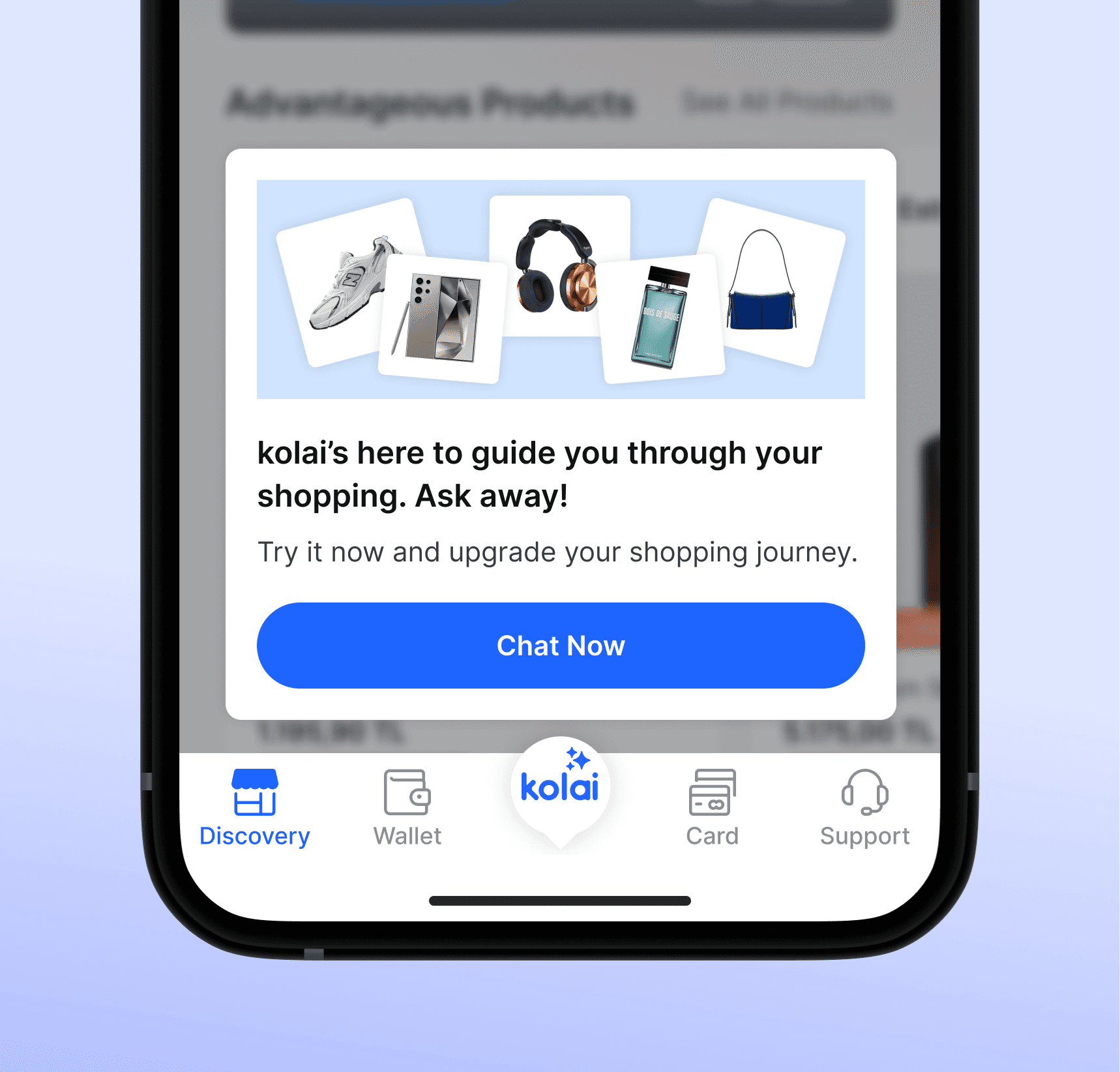
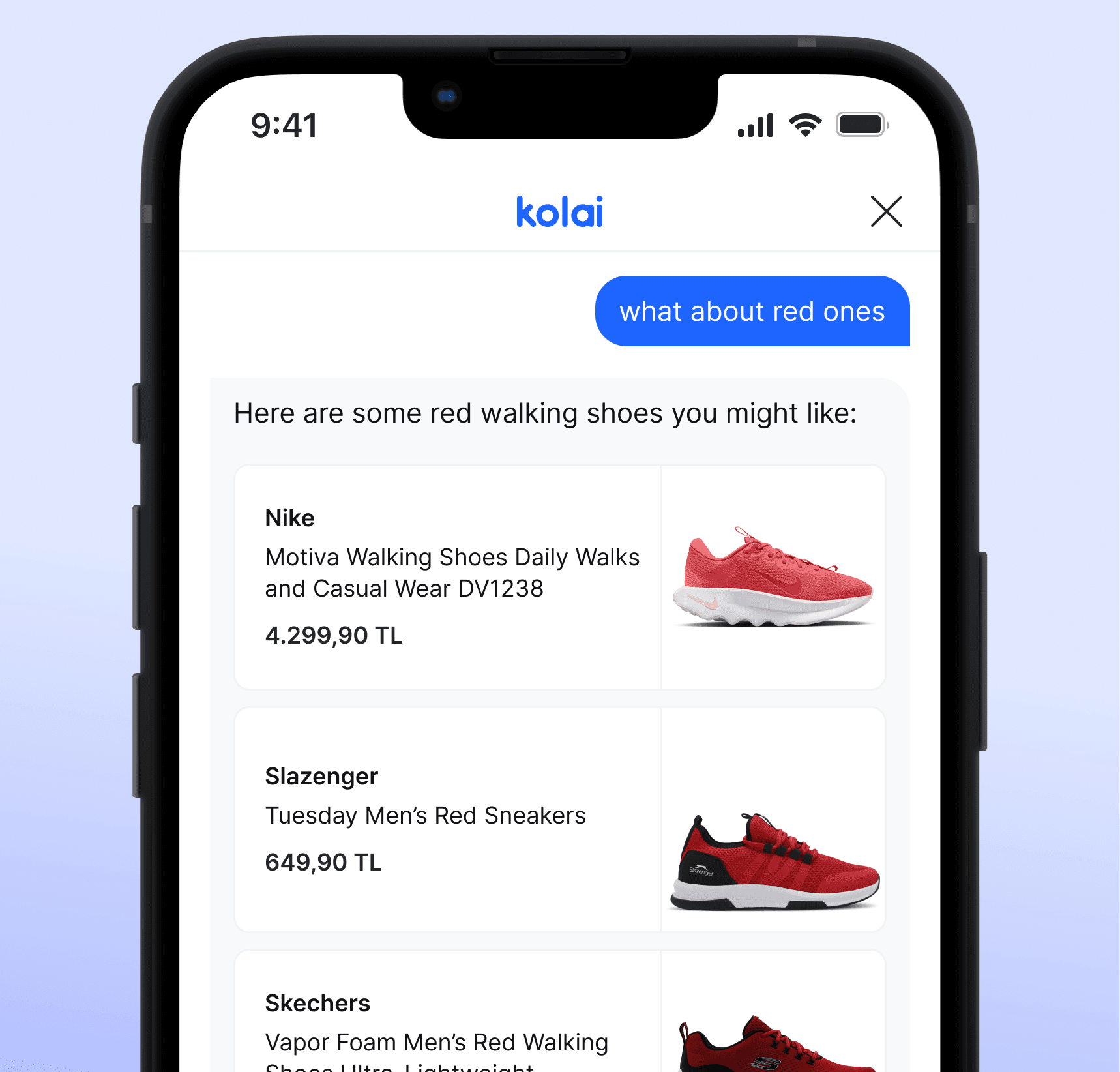
Chat Layout
Notes
LLM response formatting dictated design decisions: even minor visual details like capital letters in system-suggested prompts had a direct impact on LLM interpretation and response time.
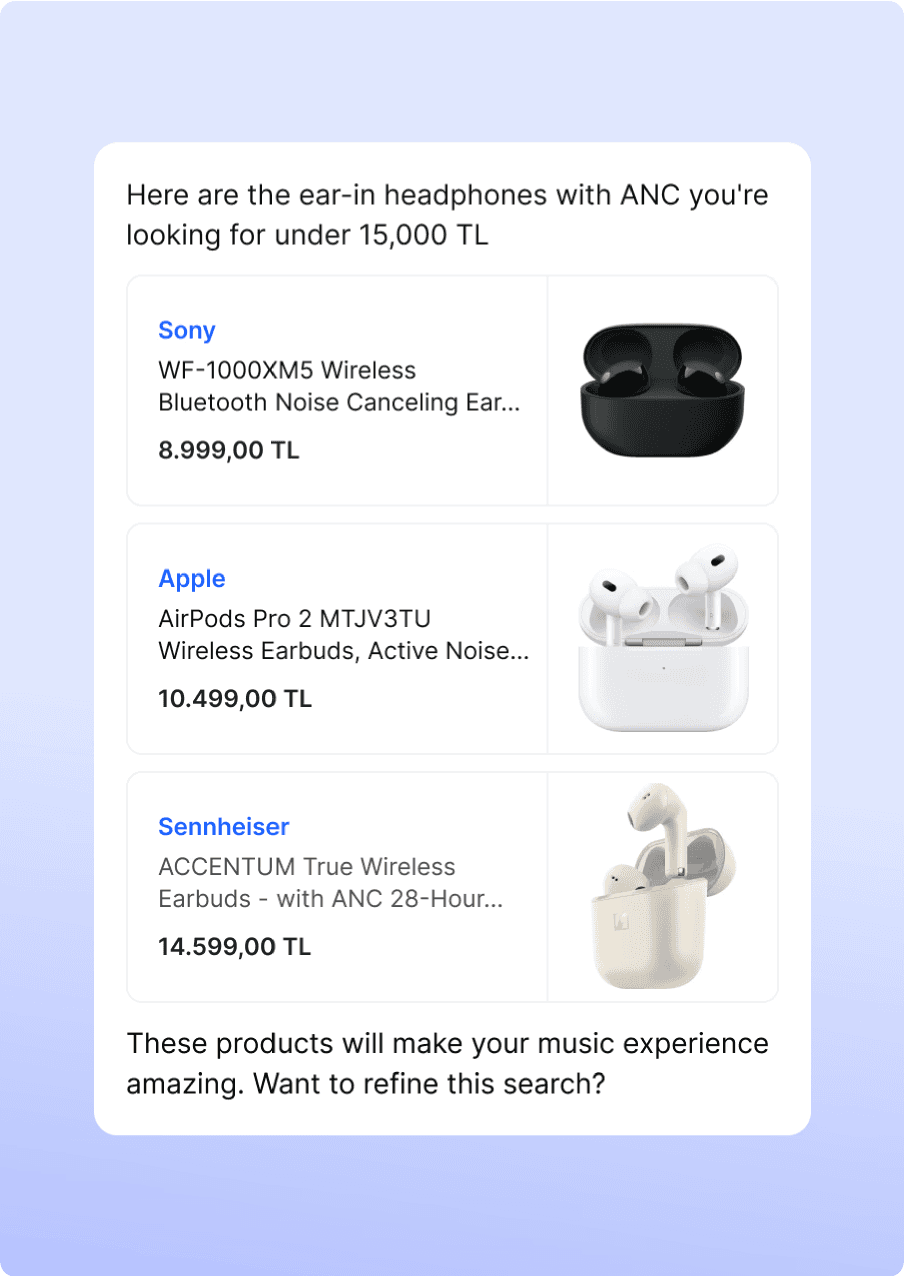
Product card design and prompt structure had to be optimized around how the AI parsed and returned data.
NLP-based prompt handling meant design decisions required close collaboration with back-end and AI teams, making it essential to understand the full technical pipeline.
Stage
What We Did
Empathize
Conducted interviews to understand pain points and AI expectations
Define
Created personas, user journeys (new and existed users) and problem statements around decision fatigue and overload
Ideate
Ran collaborative workshops to ideate flows, product surfaces, and features
Prototype
Created mid- and high-fidelity prototypes for chat-based AI recommendation
Test
Validated with users, iterated based on insights, and A/B tested UI variants
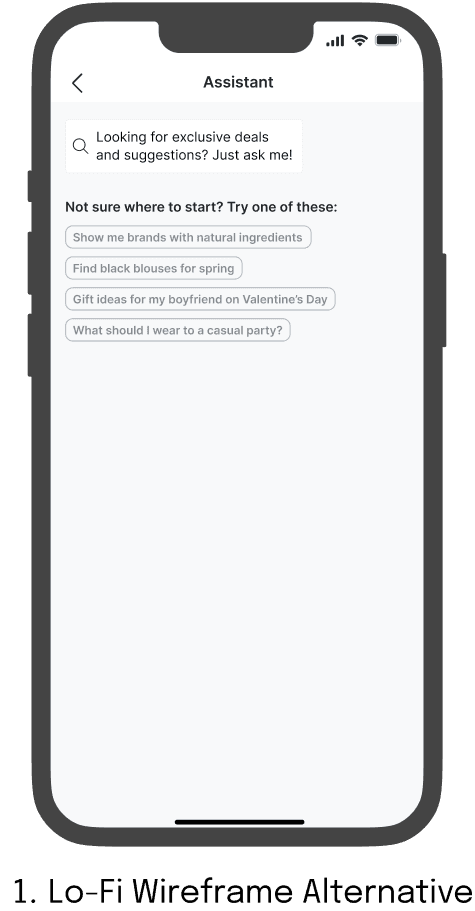
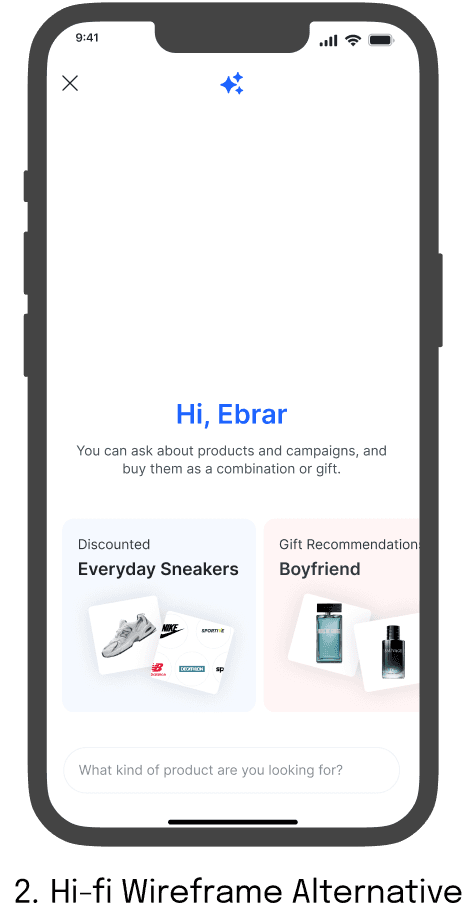
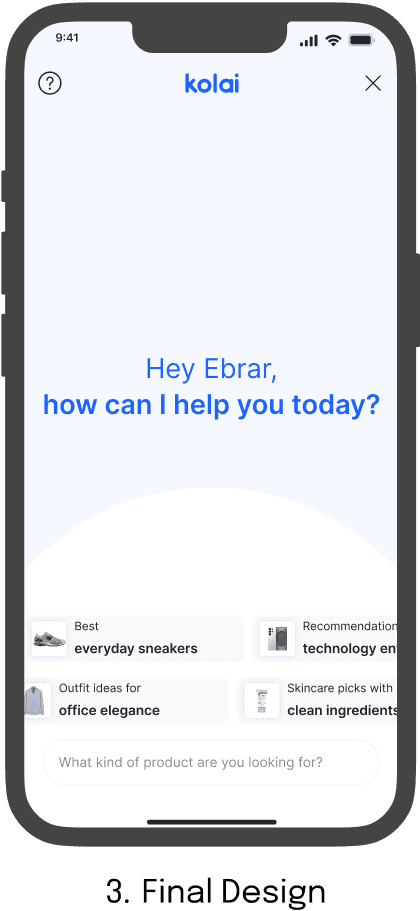
1
Swiping Prompts
Prompts are designed to feel interactive and tappable, encouraging users to express preferences quickly. The auto-swipe behavior reinforces a sense of movement and flow.
2
Human-Centered Interaction Flow
Despite the technical complexity, the focus was on creating a user-friendly, curiosity-driven journey—encouraging users to explore, tap, and engage at their own pace without cognitive overload.
3
Instant Access to Product Details
Users can tap on recommended items to explore them further via a seamless in-app webview, supporting continuous and fluid browsing behavior.
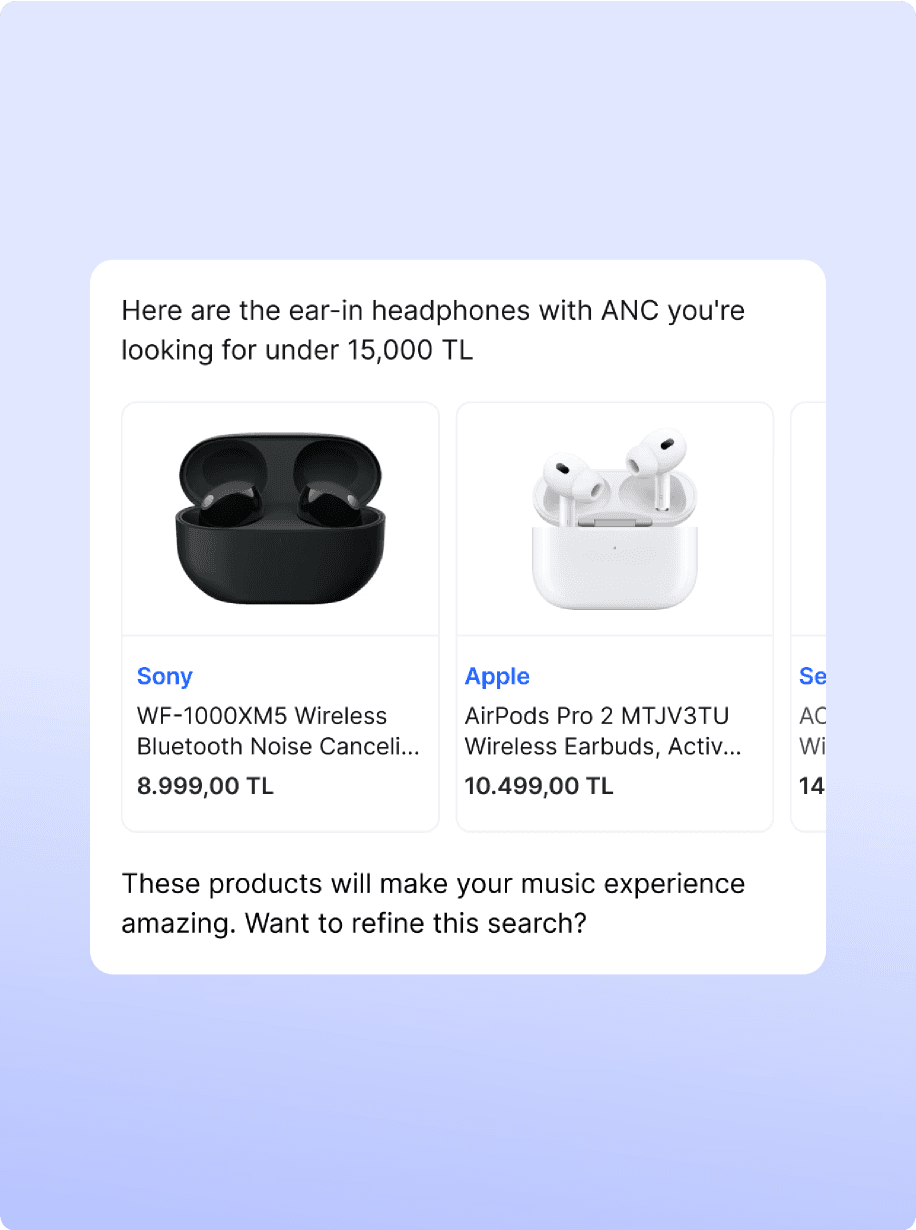
Handling Asynchronous Image Loads in a Stream-Based LLM Environment
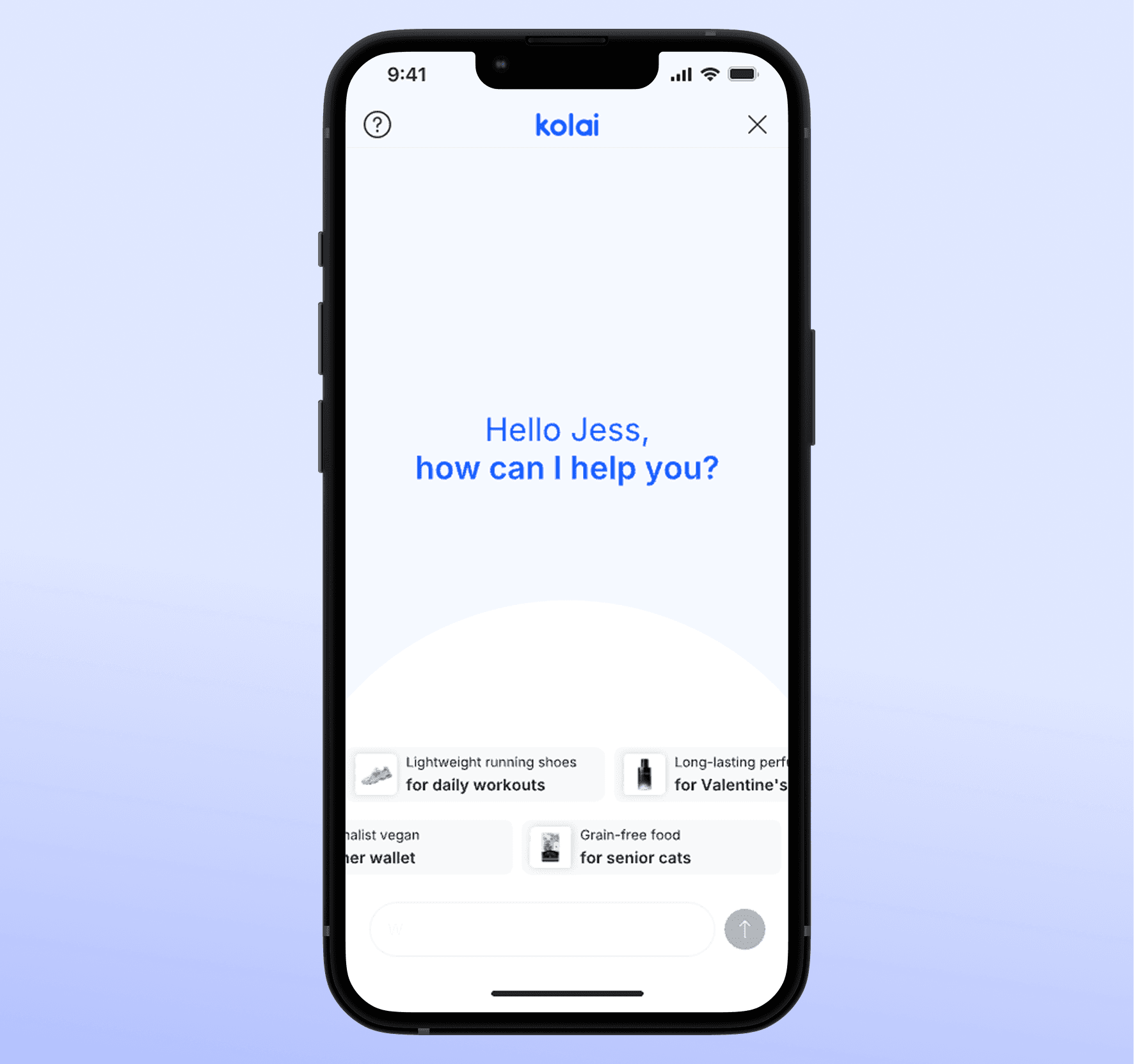
First Month
Users mistook this area for payment support.
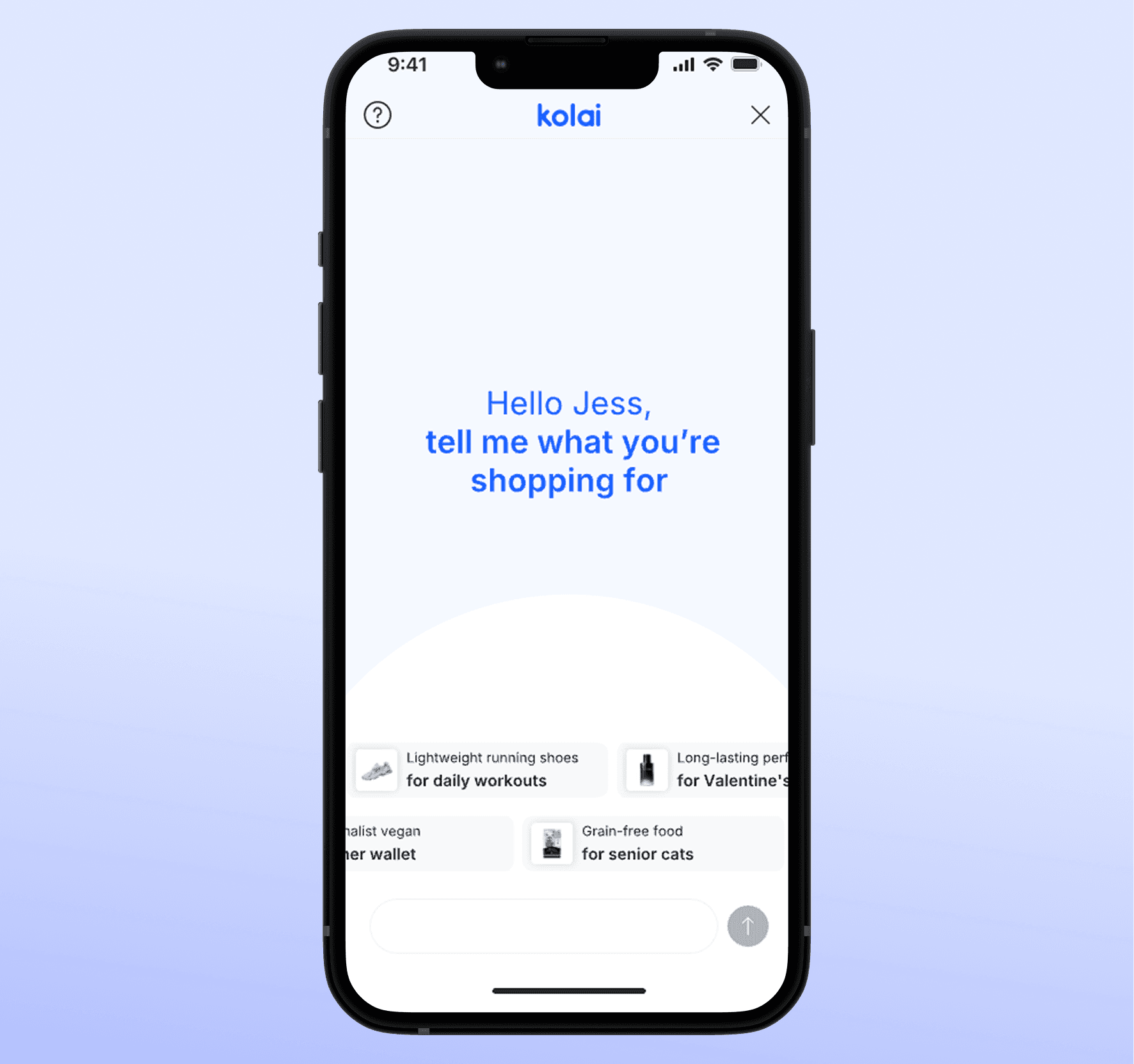
Second Month
After refining the placeholder and welcome message, user input became more relevant to product discovery.
Optimizing the First Interaction with AI
15% Drop in Out-of-Contex
Since AI shopping assistants are still unfamiliar to many users, they often confused the prompt area with a support section, especially for payment-related help.
In the first month, this caused a high out-of-context rate.
After updating the greeting text and input placeholder to make the assistant's role clearer, we observed a 15% drop in irrelevant inputs.
• Deeper Understanding of LLM Behavior: Through this project, I gained firsthand experience with how LLMs process prompts and how their internal mechanisms can shape UX and UI decisions—right down to capitalization or product card layout.
• Developer-Friendly Design Mindset: Working closely with developers and data scientists highlighted the importance of design systems that are not only user-centric but also implementation-aware. By understanding the AI model’s constraints and how front-end systems fetch and display AI-generated responses, I was able to create designs that were more aligned with engineering realities.
• Designing in Uncertainty: The ambiguity around user expectations for AI assistance taught me to lean more heavily on user interviews and iterative validation. It also emphasized the importance of planning for post-launch learnings and adaptability.